Guides
How to download, set up, and use the app
Step-by-step instructions for downloading Baby Name Finder, inviting your partner, and finding names you both love.
How to download Baby Name Finder on iPhone or Android
Download the free Baby Name Finder by TTW app from the Apple App Store or Google Play and install it on your phone in under two minutes.
You'll need: iPhone or Android phone, Apple ID or Google account
-
Open your app store.
On iPhone, open the Apple App Store. On Android, open Google Play. You can also use the download buttons at https://babynamefinder.threadtheword.com/#get.
-
Search for the app.
Search for "Baby Name Finder by TTW" or "Baby Name Finder Thread The Word". Confirm the developer is Thread The Word.
-
Install the app.
Tap Get or Install, then Open when the download finishes. Direct links: App Store https://apps.apple.com/us/app/baby-name-finder-by-ttw/id6783641460 · Google Play https://play.google.com/store/apps/details?id=com.threadtheword.babynamefinder.
-
Allow notifications if prompted.
Notifications are optional. You can start using the app immediately after opening it for the first time.
How to set up Baby Name Finder for the first time
Create your parent profile, add baby details, and finish onboarding so you can start swiping through baby names.
You'll need: Baby Name Finder app installed, Your name and email address
-
Open the app and start onboarding.
Launch Baby Name Finder. New users are guided through a short three-step setup. If you already have an account, tap Sign in and enter your email to receive a login code.
-
Enter your name and email.
On step 1, enter your name and email address. Choose whether you want to hear about Thread The Word specials, then continue.
-
Add your partner (optional).
On step 2, enter your partner's name and email if you want to invite them now. You can skip this step and invite them later from your profile.
-
Add baby details.
On step 3, select whether you are expecting a boy, girl, twins, or are unsure, then choose your due date.
-
Finish setup.
Tap finish to save your profile. You land on the swipe screen and can start liking names right away.
How to invite your partner to Baby Name Finder
Connect with your partner so you both swipe independently and see the baby names you match on together.
You'll need: Baby Name Finder app, Partner's email address or partner invite code
-
Invite during setup or from your profile.
Parent 1 can enter a partner email during onboarding — the app sends an invite email with a partner code and join link. You can also invite later from Edit Parents Profile in the app.
-
Share the partner code manually.
If you prefer, share your partner code directly (shown in the app as ABC-123). Your partner needs this code to join your session.
-
Partner opens the app and chooses Join.
On the onboarding or login screen, your partner taps "Join with partner code" (or opens the link from the invite email).
-
Partner enters their details.
They enter the partner code, their name, and their email address, then tap Join. They join the same couple session as Parent 1.
-
Start swiping together.
Each of you swipes through names on your own phone. When you both like the same name, it appears in Matches — your shared shortlist.
How to use Baby Name Finder to find matching baby names
Swipe through names, favourite front-runners, filter the list, and review the names you and your partner both love.
You'll need: Baby Name Finder app, Completed profile (partner optional)
-
Swipe through names.
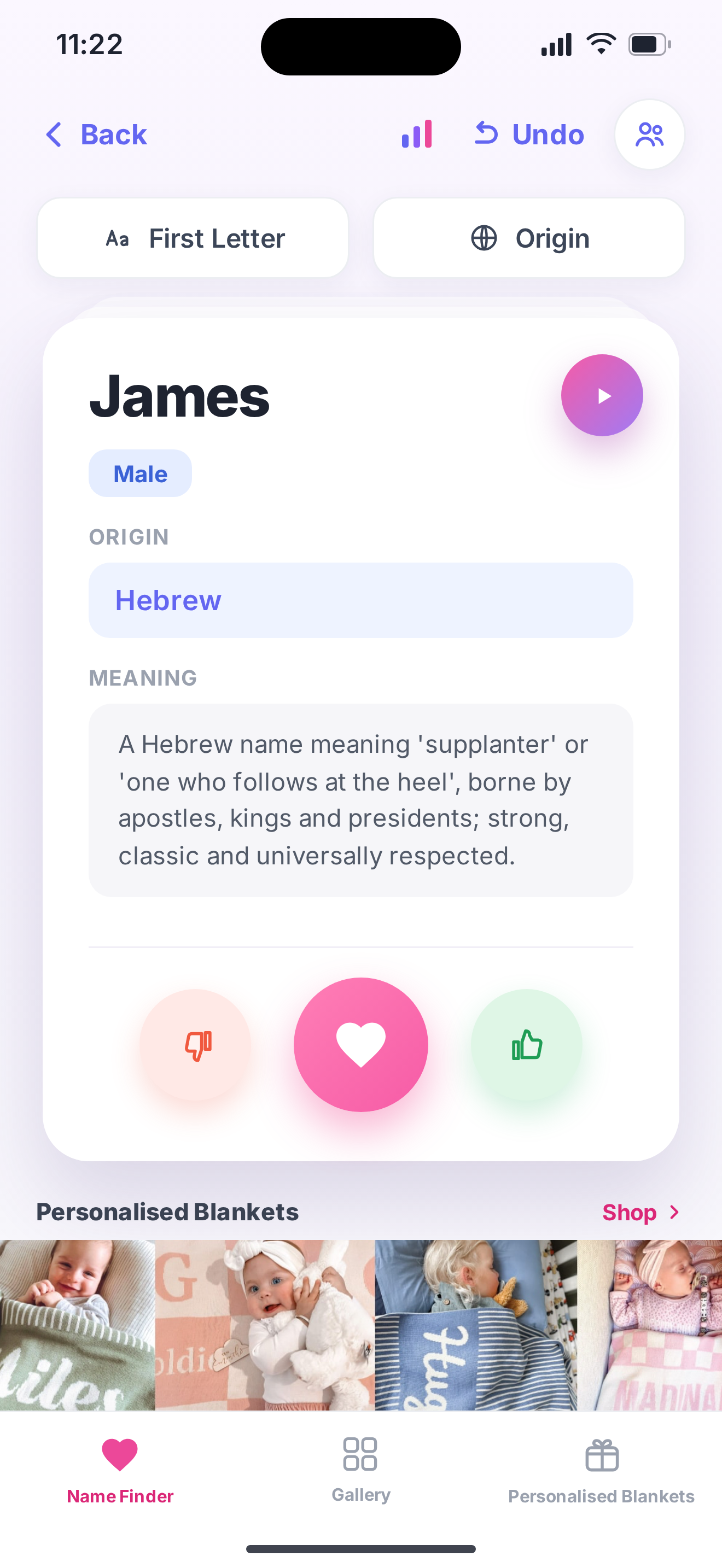
From the home swipe screen, swipe right to like a name or swipe left to pass. Each card shows the name meaning and origin.
-
Star your favourites.
Tap the star icon to mark a liked name as a favourite. Favourites are easy to find later in your lists.
-
Filter the name list.
Open filters to narrow names by boy, girl, or neutral, by cultural origin, or by first letter — so you only see names that fit your preferences.
-
Add your own names.
Have a name in mind that is not in the list? Add it from the menu and it joins your comparison like any other name.
-
Check your matches.
Open Matches to see every name both parents liked. These are your strongest contenders — discuss them together and pick the one you both love.
-
Sign in again on a new phone.
Tap Sign in, enter the email you used during setup, and enter the one-time code sent to your inbox. Your likes, favourites, and matches sync automatically.